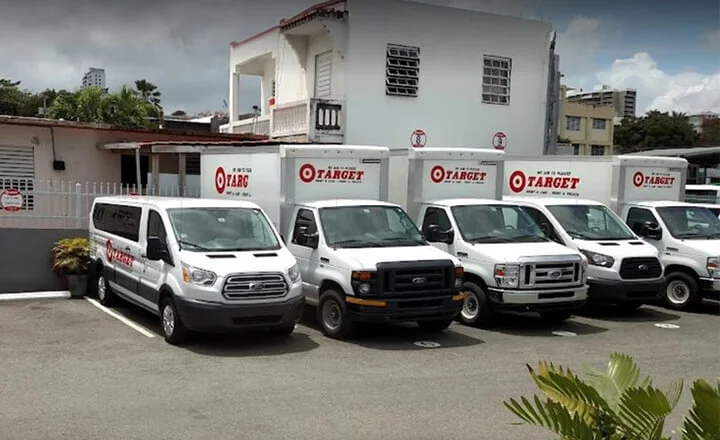


Truck Repair Shop’s Transformation: From Paper Chaos...
20 November 2025

Stop chasing customers. Orderry sends the right message at the right moment — appointment reminders, job status updates, and review requests — automatically, based on what actually happens in your workflow.

Workflow-triggered customer messages
Two-way WhatsApp and SMS in one place
Segmentation and bulk SMS for targeted outreach


Reach customers through SMS, email, and WhatsApp from a single platform.

Remind customers about upcoming services automatically.

Keep customers informed with real-time updates at every stage of the job.

Confirm bookings to avoid confusion and last-minute cancellations.

Automatically ask for feedback after service to collect more reviews.

Let customers reply directly so you can answer questions and confirm details.
How Businesses Improve Customer Communication with Orderry
“Orderry’s automated status updates greatly reduce customer upset. If the part is still on backorder, it's not gonna get done any sooner, or any cheaper, clients just want to know.”

When a customer texts back, you see it right next to their job, estimate, and history. No switching between apps. No lost context. Two-way texting for business that actually connects to your work.

One inbox for WhatsApp, SMS, social media, and email.
See jobs, estimates, and history while chatting.
Create a job, update a status, or send an invoice — directly from the chat.
Try Orderry Free
Automate notifications and see how Orderry works for your business. Get full access for 7 days. No credit card required.
Keep customers informed without manual follow-ups. Orderry’s work order software sends the right message at the right time based on real events in your workflow.
Reduce no-shows with automatic appointment alerts.
Status change triggers a message. Customers know. You stay focused.
Payment received, job closed, part arrived — every event can trigger a notification.

See How Businesses Like Yours Automate Notifications with Orderry
“Orderry is intuitive and easy to use. You can set up all notifications your way, without needing to hire a developer. Just connect the pieces, and it all works.”

Make sure every notification reaches your customers where they’re most likely to respond. Orderry prioritizes active chats and falls back to SMS or email when needed.
Active WhatsApp or chat? The message goes there first.
No open chat? Falls back to SMS or email — automatically.
Customers get the message. You get fewer missed appointments and faster responses.
See Orderry in action
Explore how easy it is to set up automated customer communication. Get expert guidance and answers to your questions.

Got a seasonal promo? A change in hours? Customers due for a service? Write the message once, target by job type or service history, and send with bulk SMS software that’s already connected to your workflow.
One message to many customers in seconds.
Target by service history or behavior.
Promote offers, updates, and seasonal deals.

Real Results from Businesses Using Orderry
“Orderry saves us hours by automatically updating fleet managers about their vehicles’ status.”
Capture customer feedback with binary or 5-point rating systems.
Give customers an easy way to schedule services without calls or back-and-forth.

Bring in new customers and drive repeat business with built-in marketing tools connected to your workflow.

Orderry helps you automate customer communication across SMS, email, and messengers. Every job update, appointment reminder, review requests, bulk campaigns and message is sent on time and seen. From notifications and chats to campaigns and bookings, everything works together in one system.
Launch faster with guided onboarding
Access the Help Center anytime
Benefit from regular product updates
Try Orderry free for 7 days
Reduce no-shows, get paid faster, and keep customers informed. Start your free trial. No credit card required.
Frequently Asked Questions About Customer Notification Software

Customer notification software automates messages to clients based on events such as bookings, job updates, or payments, helping businesses stay responsive without requiring manual follow-ups.
You can send appointment reminders, job status updates, payment requests, booking confirmations, review requests, and marketing messages via SMS, email, and messengers.
Yes, Orderry supports two-way messaging via WhatsApp and SMS, allowing you to both send notifications and reply to customer messages in one place.
Yes, notifications are triggered automatically by events such as new bookings, status changes, or completed jobs, so messages are always sent at the right time.
Yes, you can create message templates and personalize notifications with customer details, job information, and more.
Yes, Orderry is designed for businesses of all sizes, from small shops to multi-location service companies.
Orderry offers tailored onboarding, a detailed Help Center, and ongoing support to help you set up quickly and start automating your communication.
No, Orderry is user-friendly and does not require coding. You can configure notifications and workflows with simple settings.