


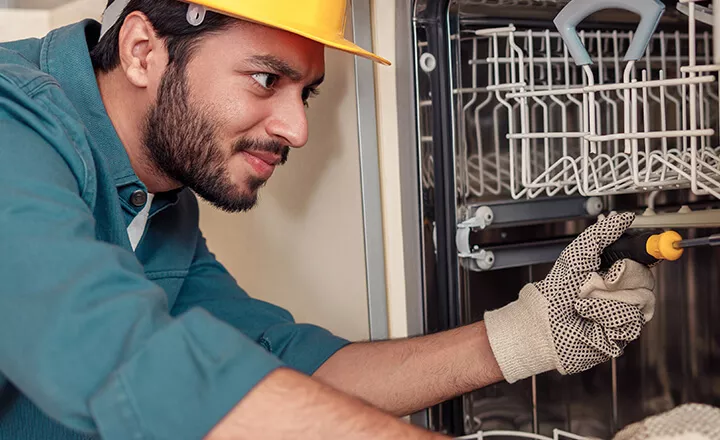
How CForma Scaled Its Appliance Repair Operations with Orderry
15 July 2026

Stop chasing invoices. Get paid the moment the job is done — by link, QR code, or card tap. All inside Orderry.
Get paid faster with integrated payments built into your business workflow. Send invoices, share payment links, accept card and contactless payments on one platform.

Get paid from digital invoices instantly
Send payment links via SMS, email, or chat
Accept credit cards, debit cards, and digital wallets
Track every payment automatically in one place


Turn your workflow into a payment-ready system with embedded payments. Orderry’s integrated payment processing ensures every payment is tracked and matched automatically.

Accept cards and digital wallets in one system.
Send payment requests in seconds using the small business software with payments.
Manage payments in one place from start to finish.
How Small Businesses Get Paid Faster with Orderry
“Orderry helps us generate more revenue because we keep better track of what's happening and things get done more efficiently.”

Job is closed → invoice generates automatically
The moment a job is marked done, Orderry creates the invoice with accurate totals, taxes, and line items.
Send a payment request in seconds
Text a payment link, show a QR code at pickup, or hand over a POS terminal. Let customers pick how they pay.
Customers pay from their phone or in person
Card, Apple Pay, Google Pay, or any major method with secure checkout in seconds.
Payment logs to the job instantly
The payment is tied to the job from the moment it comes in, and your team sees it right away.


Request payments online easily with text-to-pay for small businesses and secure payment links. Let customers pay by link from any device and complete a fast mobile checkout.
Create and send payment links for any order or charge.
Use SMS payments and automated notifications to reach customers instantly.
Confirm payments in advance and keep your schedule on track.
Try Orderry Free
Simplify how your business accepts and manages payments.
Get full access for 7 days. No credit card required.
Streamline your billing process with digital invoicing software that includes built-in payments. Let customers review charges and pay instantly through a secure “Pay Now” link.
Convert approved estimates into invoices in one click.
Send automated digital invoices with accurate totals and taxes.
Track status and manage payments in one place.

Recommended by Small Businesses Worldwide
“Orderry’s online approval feature has been a game-changer for us. Many of our clients are high-profile individuals who value control, so being able to review and approve orders remotely with a digital signature makes a big difference. Even with our concierge service — when our seamstress visits them — we can send the final order for review and approval, keeping clients involved at every step.”

Scan-to-pay with QR codes is the fastest checkout for in-person service. No terminal to pass around, no card to swipe, no change to count. Customer scans, phone opens the payment page, done in seconds.
Generate and send QR codes for every order in the mobile work order app.
Let customers pay with Apple Pay, Google Pay, or a card in seconds.
Get instant confirmation and move to the next customer.

Customers can pay with Apple Pay, Google Pay, or any major card — online or at the counter. Send digital invoices, offer text-to-pay and scan-to-pay, or accept POS terminal payments in Orderry.
Collect online and in-person payments in one platform.
Link all payments to the same order.
Track transactions automatically without manual checks.

See How Small Businesses Grow with Orderry
“When we started to expand our repair shops, we needed good software to manage all processes in one system. That’s exactly what Orderry is great for.”
Orderry connects with world-class payment providers like Stripe, Square, and SumUp, so you’re ready to accept whatever payment method your customers choose.
You don't set up a separate merchant account or build a new integration. Connect your existing Stripe or Square account or use SumUp. Orderry handles the sync.

Everything you need for in-person and online payments: terminals, invoices, text-to-pay, and scan-to-pay.
Connect Stripe ›
Offer clients flexible in-person and online payment options, including terminals, invoices, text-to-pay, and scan-to-pay capabilities.
Connect Square ›
Accept in-person and online payments with terminals, invoices, text-to-pay, and scan-to-pay in one system.
Connect SumUp ›
Square or Stripe takes your payment. Orderry connects it to the job, the invoice, the customer, and your team's workflow automatically, without manual data entry or switching between apps.
Payment processor (Square, Stripe)

Takes the payment
Sends a receipt
You figure out which job it belongs to
You update your records manually
You reconcile at the end of the month
Orderry with integrated payment processing
Takes the payment
Links it to the job automatically
Updates the invoice status instantly
Your team sees it in real time
Books are always up to date
Track every transaction without switching between tools or checking multiple records. Orderry provides payment synchronization to jobs, sales, invoices, and customers.
See what’s paid, pending, or overdue in real time.
Avoid missed or duplicated transactions.
Sync invoices and payments with your connected accounting system for automated bookkeeping.


Protect every transaction with secure payment processing built into your workflow. Transactions are encrypted end-to-end through trusted processors, allowing you to accept secure online payments without managing compliance yourself.
Bank-level encryption to protect payment data in every transaction.
PCI-compliant providers ensure strong payment security for small businesses.
No full card details are stored in your system.
Every payment is tied to a job automatically
No manual matching, no end-of-day reconciliation. The payment comes in and is logged to the right order.
3 ways to get paid: invoice link, QR code, card tap
Meet your customer wherever they are — online, at pickup, or at the counter.
Integrates with Stripe, Square, and SumUp
Connect your existing account. No new merchant setup required.
Syncs with QuickBooks Online and Xero
Payments flow into your accounting software automatically. No double entry.
One platform for jobs, team, inventory, and money
Stop paying for five separate tools. Run your whole business from one system.

Try Orderry free for 7 days
See how easy it is to run your business and accept payments on one platform with Orderry. Sign up today. No credit card required.
Frequently Asked Questions about Online Payments for Small Businesses

The cheapest way to accept payments depends on your business model, but most small businesses save money by using all-in-one software with built-in payment processing. This helps avoid extra fees from multiple tools and reduces manual work like reconciliation.
With platforms like Orderry, you can accept online, in-person, and payment link transactions in one system, minimizing costs while keeping everything organized.
You don’t need a website to accept payments. Many small businesses use payment links, text-to-pay, or QR codes to request and receive payments directly from customers.
With Orderry, you can create a payment link and send it via SMS, email, or messaging apps. Customers simply click the link and pay securely from their phone or computer.
With Orderry, you can include a “Pay Now” button in your digital invoices, allowing customers to pay immediately using a card or digital wallet.
No, Orderry combines invoicing, payment processing, and tracking in one place to simplify operations.
Yes, modern payment processors use encryption and are PCI-compliant to protect transactions and customer data.
Yes. As an all-in-one platform, Orderry reconciles payments automatically within the system and can sync that data with QuickBooks Online or Xero.