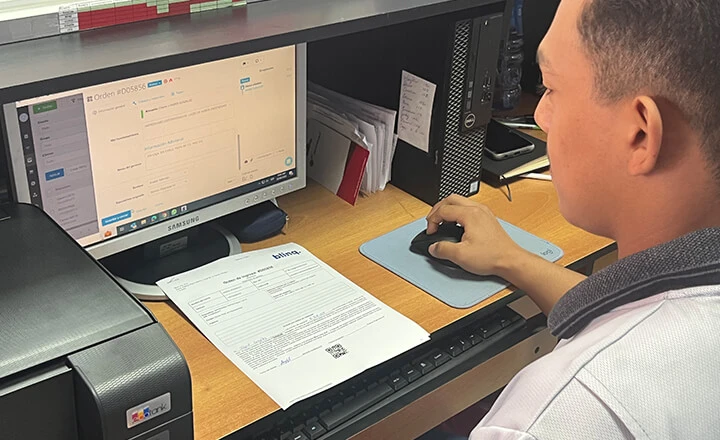


Response Time Reduced By 60 Times After A Year With Orderry
4 January 2024

With Orderry, small field service teams can manage jobs, employees, customers, and invoices in one place. You can schedule work, assign it to your employees, and update each job throughout the day. This small business field service software helps you manage daily service work without complicating your team's setup. It is easy to set up, so your team can adapt quickly and start using it in daily work.

Schedule service jobs and assign them to your team
Track job details, customer records, and work updates
Send invoices and collect payments after the work is done


Orderry helped us organize our work, both in and out of the office. Our growth has been noticeable in interactions and customer satisfaction.

Field service management and scheduling software should help your office plan the schedule before techs head out. In Orderry, you can add a service call to the calendar and assign it to an available employee. Job scheduling stays tied to the customer record. Each tech can check the visit time, address, and job notes before leaving.

Schedule service calls in the built-in calendar
Let customers book service calls online
Assign jobs by technician availability
View each tech’s workload by day or week
Send appointment updates in each customer’s preferred language
Update job statuses from the field
Move appointments with the drag-and-drop scheduler
Field service management scheduling and dispatch software helps your office handle changes during the day. When a new request comes in, your team can check the schedule and place the job where it fits. The technician gets the updated time and address in Orderry. The digital work order remains linked to the visit, so the office can track progress in the calendar.
Try Orderry Free
Schedule service calls, assign jobs to techs, and see how Orderry fits your daily work. No credit card required.
With Orderry's mobile field service management software, your technicians can work from a phone or tablet during a service call. The work order app lets them open the job, check customer details, and update the record on site.
Open assigned work orders in the iOS or Android app
Check customer details and job history on site
Capture photos and signatures during the visit
Add services and materials used
Collect payment from the work order
Close completed jobs from the app
Small business field service software works better when techs can complete simple steps before leaving the job site. In Orderry, a technician can update the work order after the visit and keep the record ready for billing. Your office can review those updates without waiting for a call or a paper note.

I searched online for software to manage our service processes and came across many options. After testing several for over three months, we chose Orderry. The pricing was great for the range of features we needed, and it was both easy to use and quick to set up.

Orderry is cloud based field service management software, so your business runs from an online account rather than a desktop program you download and install. Your team can set up the main workflow first and keep company records in one place. This makes setup easier for a small business with no IT team.
Set up the system without a local server
Add employees and manage their access
Keep customer and job records online
Store job photos and documents without storage limits on any plan
Receive product updates automatically
Back up business data in the cloud
Expand the setup as your team gets used to it
With a field service management software cloud setup, your office does not need to manage separate desktop copies. Updates appear in the online system, and your records remain tied to a single account. This helps your team keep the setup easy to manage as more people start using Orderry.
See Orderry in action
See how your team can set up jobs, manage records, and keep daily work in one system. Book a quick demo.
Book a Demo
After a service call is marked complete, your team can create a digital invoice from the saved work order in Orderry. Labor and parts can come from the job record. Taxes or discounts can be added before sending. For teams looking for field service management software compatible with QuickBooks, Orderry can sync invoices and payments with QuickBooks Online in both directions.
Create digital invoices from completed work orders
Convert approved estimates into invoices
Use custom invoice templates for consistent billing
Send payment links to customers
Accept online payment by card or ACH
Send payment reminders for unpaid invoices
Track payment status updates
Orderry integrations help keep billing connected with the tools your team already uses. For custom workflows, your team can connect other apps without turning billing into a separate process.

We used to manage the data almost manually. We used Google Forms, downloaded the data to Excel sheets, and then made some changes to organize it. We didn't know what the guys were doing during the day or what they were using to develop the job. But everything changed for us with Orderry.

In Orderry, field service business management software helps your team turn each new request into a clear job record. A request can come from a call, a message, an email, or an online booking. The digital work order keeps service details and customer information together. Your employees can open the record and see what needs to happen next.
Create work orders from new service requests
Set workflow stages for each job
Require completed service checklists before closing jobs
Attach photos, files, and internal notes
Review order history before the next step
Filter open jobs by status or saved view
Link repeat work to the customer record
Orderry keeps job history and workflow stages inside the work order, so your employees can see what changed before they move forward. For teams comparing field service management software solutions, this helps repeat service work stay connected to the right customer. It also makes service software for small business easier to keep organized as more requests come in.
Field service software for small business should be simple enough for daily use and flexible enough for a growing team. In Orderry, your employees can work from the same system, follow the same process, and make customer management easier. That gives you a clearer way to run service operations without adding extra admin work.
Fits different business sizes
If you run jobs solo, Orderry helps you keep follow-ups, customer details, and daily tasks organized. A team of 2–5 employees can work from the same system, so fewer updates get lost between people. A growing team of 5–20 employees can add users and maintain consistency as more work comes in.
Keeps customer experience more professional
Customers notice when your team replies on time and remembers past details. With Orderry’s customer management software, customer history and communication are easier to find when someone calls, books again, or asks about previous service. Your employees can answer with context instead of guessing.
Lets you build around your real process
Every field service business runs a little differently. You can start with the tools your team needs now, then adjust roles, workflows, and settings as your company changes. That helps Orderry fit into daily work as your team adjusts the setup over time.

Try Orderry free for 7 days
Set up your team, add a few jobs, and see how Orderry fits your daily work. No credit card required.

Use estimating software to build service quotes before work starts. Customers can review and approve estimates online, so jobs move forward faster.

Use an online task manager to assign tasks and set due dates. Your team can keep calls, visits, and follow-ups easier to track.

Use customer communications to send reminders and job updates by SMS or email. Your team can keep replies tied to the customer record.

Use Clock In/Out to record when employees start and end shifts. This helps you review work hours for payroll and reports.

Create purchase orders when parts need to be reordered. Your team can track what was requested and which items are still on order.

Use AI tools to speed up small admin tasks. Orderry can help summarize calls, prepare replies, and create product descriptions.
Orderry fits service teams that travel to customers, manage field jobs, and need clear records for every visit. The same system can support many service businesses that work at customer locations.
Frequently Asked Questions About Field Service Management Software

Field service management software for small business keeps service jobs in one clear workflow, from the first request to the final invoice. Your team can see what is open, who is assigned, and what still needs attention. It also helps technicians arrive with job notes and customer details already in the record. You can request a demo to see how it works in a real service workflow. You can also start a free 7-day trial to test Orderry with your own team. Many small teams can start with their main workflow first and move more data into Orderry during setup.
Yes. You can move customer records and job details into Orderry, then manage new work through digital work orders. If you have data to import, an onboarding manager can help you move it into your account. A small team can start with the main workflow first, then add more records as the setup becomes familiar.
Yes. Orderry connects with QuickBooks Online and supports two-way sync for invoices and payments. When invoices or payment updates change, your accounting data can stay in sync across both systems. Orderry also integrates with Xero, Zapier, and other business tools for teams that use multiple platforms.
Yes. Orderry has mobile apps for iOS and Android. A technician can open assigned work orders, view customer details, add photos or comments, and close the job from the app. This helps your team record field updates right after the visit.
Small business field service software should be easy to start with and practical for daily work. In Orderry, a solo tech can manage jobs and customer records in one account. A small crew can add employees, assign work, and keep the same process as the team grows. Since Orderry runs online, you do not need a local server or an IT team.
Orderry uses plan-based pricing so that you can choose a plan based on your team size and business needs. Plans include a set number of employees, with options to add more employees or locations when needed. You can test field service software for small business with a 7-day free trial, and no credit card is required. See Pricing for current plan details.