

Response Time Reduced By 60 Times After A Year With Orderry
4 January 2024

Most customers do not remember every step of the repair. They remember whether the shop gave a clear answer, kept them updated, and had the phone ready when promised. Working with phone repair shop software, you can keep the device, customer details, repair notes, parts, invoice, payment, and history tied to the same job. Orderry keeps this information in one place, so your team spends less time chasing details and more time moving repairs forward. For a solo tech, mobile phone repair software makes the day easier to manage. For a shop with several benches, Orderry helps the front desk and technicians stay on the same page.

Check in phones, tablets, and other devices with the issue, photos, files, and customer details
See what is waiting, in progress, ready for pickup, or delayed by parts
Send invoices, take payments, and keep repair history ready for the next visit


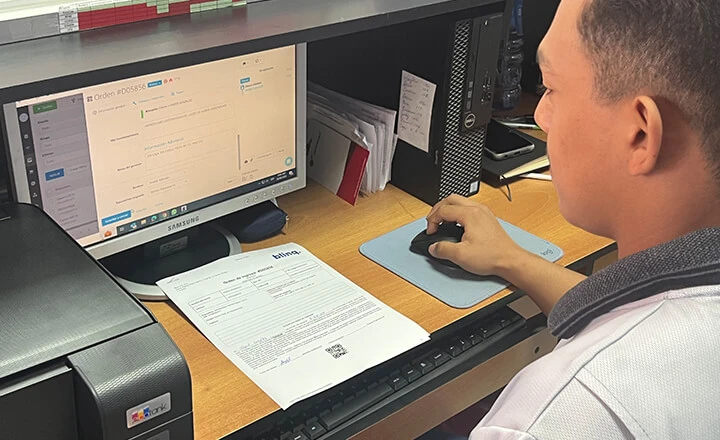
Orderry helped us reduce the turnaround time by more than 60 times. It allows us to serve, on average, 200 more devices than we did before.

Customers rarely pay for only one thing in a phone repair shop. One visit can include diagnostics, a screen, a case, a screen protector, a deposit, or a discount approved at the counter. You don't need separate tools to manage these sales and payments with cell phone repair shop POS functionality. In Orderry, you can handle checkout alongside repair jobs, parts, and customer records, keeping everything connected. This makes phone repair shop POS software especially useful when customers pay for repairs and accessories during the same visit.

Keep one record per device visit, linked to the customer and work order
Sell cases, screen protectors, accessories, parts, and quick services from the Sales page
Accept cash and card payments at checkout, including POS terminal or QR code payments when connected
Print or send receipts and checkout documents using Orderry document templates
Try Orderry Free
Test how Orderry handles real phone repair visits: check-in, device records, counter sales, payments, and receipts. No credit card required.
When you have ten phones on the bench, the hardest part is knowing where to look first. One device is waiting for a part, another is ready for pickup, and one customer has already called twice today. With cell phone repair shop software, you can keep track of all these jobs without losing important details. Orderry gives your team access to each work order with customer and device information, assigned technicians, notes, photos, files, statuses, and repair history.
Create a digital work order when the device comes in
Store unlimited repair photos, documents, and other files on any plan
Complete device intake and final test checklists for touchscreens, charging, cameras, and audio
Use repair statuses like Diagnosed, Waiting on parts, In repair, Ready for pickup, and Completed
Keep job notes, comments, status changes, and work order history attached to the same repair
Send customer notifications by SMS or email in each customer's preferred language when the repair status changes
Search jobs by device, customer, asset title, Serial number, IMEI, or phone number

The moment I saw that Orderry could connect our entire operation — customer registration, full repair history, real-time order tracking, communication, inventory, and spare parts — I knew it was the tool we needed.

The first repair can lead to more work later. A customer may come back with another device, ask about the same phone, or need a follow-up after pickup. Having phone repair shop software allows you to keep customer records, device history, past issues, messages, and follow-up details in one place. With CRM software in your daily workflow, your team can see the full context before offering the next service. Orderry keeps this information tied to repair jobs, making it easier to support returning customers and encourage them to return.
Store all customer details and past repairs in one client database software
Save device-level details like model, IMEI, serial number, and previous issues
Recognize returning customers at the counter before opening a new job
Send follow-up messages after repair completion to bring customers back
Export customer lists for promos, reminders, and targeted campaigns
Review past communication before calling, texting, or emailing the customer
See Orderry in Action
Book a personalized demo and see how Orderry helps you keep customer history, device records, and follow-ups ready for every return visit.
Book a Demo
You’ve already done the hardest part once the repair is finished. The last thing you need is to create an invoice while the customer is already waiting to pay. Implementing invoicing software helps you prepare invoices faster without entering the same details twice. In Orderry, you can create an invoice directly from the work order, using the customer, payer, products, and services already saved in the job. This makes checkout easier for your front desk and faster for customers who just want to pick up their device and leave.
Create an invoice from a work order with customer, payer, products, and services already added
Add labor, parts, products, discounts, due dates, or comments before sending the bill
Send a payment link for an order or invoice when the customer wants to pay online
Accept cash, card, POS terminal, or QR code payments when connected
Sync invoices and payments with QuickBooks Online or Xero
Keep the invoice history in the customer profile for future visits

Orderry helped us streamline our operations both in the office and out in the field. Since switching, we’ve seen real growth, not just in how we work, but in how our customers respond. Engagement is up, and so is satisfaction.

Orderry supports repair shops at every stage. You can start with the basics, then add more structure as your shop gets busier and your team grows.
Fits solo techs and growing shops
If you work from one bench, you can use Orderry to keep jobs, customers, payments, and follow-ups under control without slowing yourself down. If you run a shop with 2+ techs, the team gets one cell phone repair shop management software to see who is working on what, which jobs need attention, and what is ready for the customer. Orderry can grow with you from a solo setup to a larger repair business with more staff and locations.
Connects with the tools you already use
Orderry integrations help keep the shop’s daily work connected with accounting, payments, and other tools. You can connect QuickBooks Online, Xero, Zapier, and payment services, so invoices, payments, clients, and related data do not have to be moved by hand every time.
Keeps every job easier to manage
For shops that need a clear record of every customer device, repair ticket software helps keep job details and progress organized. In Orderry, your team can create work orders, track statuses, schedule jobs, add products or services, and use reports to see what is happening across repairs, inventory, employees, and payments.
Try Orderry Free for 7 Days
Set up your first repair ticket, add a customer, and see how Orderry fits your shop in less than a day. No credit card required.

Create purchase orders for missing parts, track supplier orders, and restock items your shop uses often.

Use job scheduling software to assign repairs, balance technician workloads, and manage pickup timelines. Let customers book repair appointments online by choosing an available date and time.

Automate tedious tasks with AI that imports products, recognizes items, transcribes calls, and even suggests customer replies.

Automatically identify a device by its IMEI and ensure accurate service records.

Empower your team with a repair technician mobile app to access tickets, parts, and customer updates anywhere.

Track staff hours and attendance with built-in time-tracking tools.
For phone shops using mobile phone repair software, daily work includes customer intake, repair jobs, parts, payments, and service history. Orderry manages these tasks in one place and can adapt to other repair businesses with similar workflows. You can use the same platform for a single location, a growing team, or multiple shops under one account.
Frequently Asked Questions about Cell Phone Repair Shop Software

Yes. You can move from paper tickets, spreadsheets, or another repair ticket system to Orderry. The team can import your customers, device records, products, payments, and open work orders, so you do not lose the data you already use every day. Most shops process their first ticket the same day they sign up. If something gets stuck during migration, an Orderry support contact walks you through it step by step.
Yes. Orderry works for walk-in customers who bring in a device, buy an accessory, pay for a quick service, or pick up a finished repair. You can sell products and services, take cash or card payments, use a POS terminal or QR code payments when connected, and print or send checkout documents. If the visit includes a repair, the sale stays tied to the same customer and work order.
Orderry works for both. A solo tech can use it for quick intake, repair tickets, customer updates, checkout, and payments without adding a heavy process to the day. A shop with several benches can assign jobs, track statuses, and keep the counter and technicians working from the same repair record. You can start small and add more structure as the shop grows.
Yes. Orderry integrates with QuickBooks Online and Xero, so invoices and payments can sync with your accounting system. That means your team does not have to type the same billing data twice after a repair is paid. If you use another tool, Orderry also supports API, Zapier, Make, and webhooks, so the team can check the best setup for your workflow.
Orderry connects parts and products to the repair work order, so you can see what was used on each job. Stock levels update when items are written off, and minimum stock settings help you spot parts that need to be reordered before they run out. You can also use Products to reorder and purchase orders to plan restocking for screens, batteries, and other repair parts.