

From Spreadsheets to Scale: How Coffee Friend Achieved 30% Growth with Orderry
15 July 2026

Orderry gives you everything you need to run your electronics repair shop in one system. From tickets and inventory to AI tools and payments, it helps you work faster and stay profitable.

Repair tickets and job tracking
Inventory control and AI automation
POS and online payments


Orderry helped us cut our turnaround time by more than 60x. Now we can service, on average, 200 more devices than we did before.

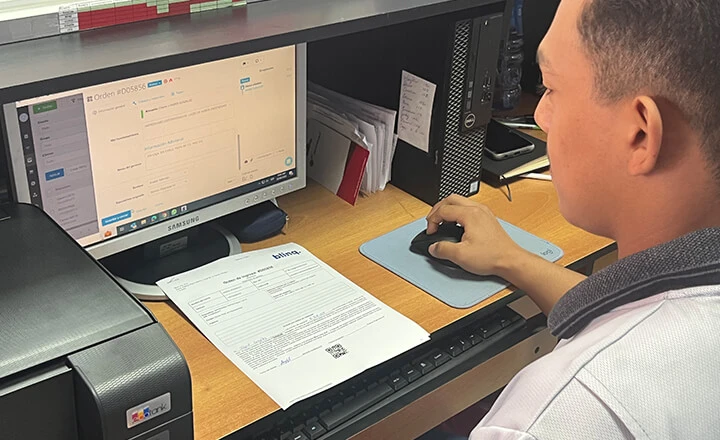
Orderry’s repair ticket software keeps every electronics repair organized from intake to completion. Know exactly what’s happening with every device at any time.

Create repair tickets in seconds with customer info, device data, and photos
Track every repair stage in real time from check-in to ready for pickup
Assign jobs to technicians so every repair has an owner
Try Orderry Free
Get complete access to all tools for 7 days. Test the platform with your own data and see how it fits your workflow.
Create repair estimates, collect approvals, and turn approved estimates into invoices without duplicate entry. Orderry’s electronics repair invoice software keeps your workflow professional from start to finish and syncs with accounting tools.
Create detailed repair estimates with built-in estimating software
Collect customer approvals online with secure e-signatures
Convert approved estimates into online invoices automatically

The moment I saw that Orderry could connect our entire operation — customer intake, full repair history, real-time order tracking, communication, inventory, and parts — I knew it was the tool we needed.

Collect payments quickly and professionally, whether at the counter or online. Orderry brings online and in-person payments into one checkout flow, so your team can take payment without switching tools.
Repair shop POS software with an integrated SumUp, Square, or Stripe terminal for in-store payments
Online payments through secure payment links
Multiple payment methods, including cards, cash, and digital wallets
See Orderry in action
Explore real repair shop scenarios, ask questions, and get expert guidance tailored to your business. See exactly how Orderry works before you commit.
Book a Demo
Keep track of every part, device, and customer-owned item in one organized inventory management system. Know what is in stock, what’s reserved for repairs, and what needs to be reordered.
Track serial numbers and customer devices to avoid mix-ups and lost items
Link parts directly to repair tickets to see the true cost of each job
Manage purchase orders and products with low stock levels to restock on time

Orderry is a polished solution for managing a computer repair shop. Everything feels well thought out and fine-tuned.


Orderry’s business dashboard software turns your repair data into clear insights your team can use. Use accurate reports to improve pricing, plan inventory, and track team performance.
Monitor income and expenses in real time
Review margins across repairs and parts
Track technician results and business trends
Send automatic status updates, pickup notifications, and collect Google reviews to strengthen your online reputation.

Manage tickets, track inventory, and accept payments from anywhere with the repair service app.

Instantly identify devices by IMEI to speed up intake and ensure accurate documentation.

Save time with AI tools for call summaries, product descriptions, background removal, and smart replies.

Track technician work hours with built-in time tracking to improve accountability and simplify payroll management.

Manage refurbished inventory, track device history, and monitor resale profitability in the sales and service software.
Instead of running tickets, parts, invoices, payments, and reports in separate tools, Orderry brings your daily work into one system that your team can follow.
Look organized from the first ticket
Replace spreadsheets, notes, and scattered messages with a clear repair flow. Your team can create tickets, track devices, manage customer details, and keep every job easy to find.
Keep parts and billing connected
Inventory, repair tickets, invoices, and payments stay tied to the job. Your team can see what parts were used, what the customer owes, and what still needs attention.
Get support as your shop grows
Orderry provides your team with onboarding support, Help Center guides, and regular product updates. You can start with the tools you need now and build a stronger workflow over time.

Try Orderry free for 7 days
See how it works for your shop. Quick setup, guided onboarding, and full feature access included. No credit card required.
Whether you specialize in phone repair, computer repair, refurbished device sales, or run a full-service electronics repair shop, Orderry adapts to how your team works. From single-location shops to multi-location operations, the system scales to fit your business model.

Drone Repair

Game Console Repair
Frequently Asked Questions About Electronics Repair Shop Software

Orderry is built for repair businesses, not just checkout. It includes repair tickets, device history, parts assigned to jobs, technician workflows, inventory, payments, and repair-focused reports. Most general POS systems do not cover the full repair process.
Yes. Orderry helps you manage multiple locations from one account. You can track performance by location, manage location-based inventory and payments, and standardize workflows and pricing.
Yes. Orderry integrates with QuickBooks Online and Xero. You can sync invoices and payments with your accounting system, so your team does not have to enter the same billing data twice.
Yes. Orderry lets you process returns and refunds directly in the system, track refund history, and maintain accurate financial records. This helps with warranty cases, returned parts, and customer refunds without manual adjustments.
The best alternative to spreadsheets is cloud-based software for electronics repair shops, such as Orderry. It keeps tickets, inventory, estimates, invoices, payments, and reports in one system, so your team spends less time fixing errors and searching for updates.
Yes. Orderry lets you create repair estimates, add parts and labor, collect customer approvals online, and turn approved estimates into invoices in one platform.
Use real-time inventory tracking, serial number tracking, and parts-to-ticket assignment. Orderry helps you track every part, monitor stock levels, manage purchase orders, and see the cost of each repair more clearly.