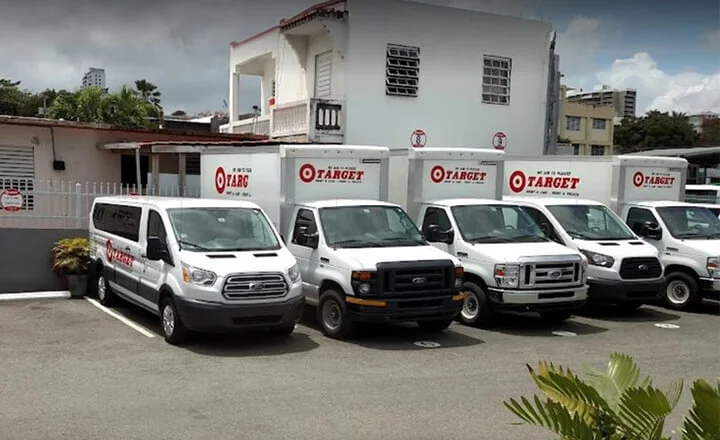




Veneno’s Drastic Increase In Efficiency After Automa...
17 March 2026

Orderry is an auto repair shop software that helps manage appointments, repair orders, parts, mechanics, and payments without gaps in the process. From the customer’s first call to the moment the repair is paid for, everything is brought together in one system so your team can work faster, and no vehicle gets stuck without a status update.

Track parts, deadlines, statuses, and shop workload
Keep the repair history of every vehicle by VIN or license plate
Create invoices and accept payments without manual confusion


“What truly convinced me to try Orderry was its ability to adapt to the way we work, not the other way around. We could build our own forms, define how we wanted to view information, customize reports, tailor fields and workflows, and automate customer notifications.”

A busy day at the shop can change fast. One repair takes longer than expected, a lift stays occupied, a walk-in arrives, and the next customer is already on the way. If your schedule lives in a paper book or scattered messages, it is hard to see what can actually fit into the day.
Orderry helps you schedule jobs based on your actual shop capacity. Put repair work, available technicians, and shop resources into one calendar, then adjust the day when plans change without losing track of who is doing what.

Plan work orders by technician, bay, lift, or another shop resource
Move jobs to a new time or date by dragging them in the scheduler
Review daily, weekly, or monthly workload before adding more work
Keep bookings and work orders in one shared schedule
Share your online booking link so customers can choose available time slots
Send SMS or email reminders when an appointment is coming up or when the schedule changes
With every appointment, technician, and bay in one place, your shop can keep the day running smoothly without overloading the team or leaving customers waiting for answers.
Try Orderry Free
Get full access for 7 days and see how it transforms your auto repair shop.
Every repair starts with a number that the customer needs to trust. Parts, labor, extra work, discounts, and approvals all have to be clear before the job moves forward. When those details are handled in different places, your team spends too much time checking notes, fixing totals, and explaining the same costs twice.
Orderry gives you estimating software for auto repair that keeps the money side of the repair connected to the job itself. Create an estimate, get the work approved, turn it into a work order, and use the same details later when it is time to bill.
Build and send clear repair estimates
Move approved work forward without retyping details
Create digital invoices from completed jobs
Keep labor, parts, discounts, and payments connected
Accept card and online payments
Track deposits, partial payments, and final balances
As auto repair shop billing software, Orderry helps your team keep the repair, invoice, and payment in one flow, so each job is easier to close without extra paperwork.

“Orderry saves us hours by automatically updating fleet managers on vehicle status.”

Status calls about a repair do not always mean the customer is impatient. Most of the time, they need a clear answer: is the tech still diagnosing the car, are you waiting on parts, or did the technician find another issue? With auto repair shop texting software built into the work order, your team can send and receive two-way texts from inside the ticket, request approvals, and keep signed confirmations attached to the repair. No separate texting app is needed.
Orderry keeps the full repair history inside the work order. Auto repair shop workflow software brings customer details, vehicle information, services, parts, notes, photos, tasks, and status changes together in one place. This way, the repair can move step by step from vehicle check-in and diagnostics to parts ordering, repair work, and completion with clear statuses that the whole team can understand.
Create work orders for every car and customer visit
Keep vehicle details, job notes, photos, and files together
Assign each job to the right technician
Move repairs through statuses your team understands
Track job updates in the work order history
Send customer updates when the repair status changes
Many auto repair shops still rely on paper job records or tools that only solve one part of the job. Orderry brings the full repair flow into one system, so your team can keep working the way the shop actually runs with fewer gaps, fewer repeat questions, and cleaner handoffs.
See Orderry in action
Book a personalized demo and discover how Orderry can simplify your auto repair shop’s workflow.
Book a Demo
A repair shop does more than close work orders. One customer pays for a completed repair, another buys parts or accessories at the counter, and your team still needs the numbers to match at the end of the day. When payments and sales live in separate tools, closing the shift takes longer than it should.
Orderry brings repair shop POS software into the same system your team already uses for work orders, inventory, invoices, and payments. You can take payments for completed repairs, sell products and services, and keep each transaction tied to the right payment account without running a separate checkout tool.
Take payments for completed repairs and counter sales
Sell products and services from one Sales page
Accept cash, card, or in-person payments through a POS terminal or QR code
Keep payment records connected to accounts
Take contactless payments on a phone or tablet (coming soon)
Track sales, returns, refunds, and payment history in one place
With POS software for auto repair shop payments built into Orderry, your team can handle repair payments, counter sales, and daily totals in one place without switching between systems.

“In auto detailing, we sometimes deal with damage claims we didn’t cause. Orderry helps us avoid costly disputes by keeping detailed records and proof. It gives us peace of mind and helps our insurance company, too.”

In an auto repair shop, trust often depends on one simple thing: whether the part is really there when you say it is. The advisor promises a pickup time, the customer expects an update, and then the team finds out the part count was wrong. Now the repair waits, the schedule shifts, and someone has to explain the delay.
Orderry’s auto repair shop inventory software helps your team work from stock numbers they can trust. When a technician adds or scans a part into the work order, the inventory count updates, so the front desk, the bay, and the owner all see the same picture.
Manage parts through one inventory management system
Add parts to work orders without losing the count
Get low-stock alerts and automate reordering
Manage vendors and purchase orders in one place
Find the right item faster with barcode search
When parts and repairs stay connected, inventory becomes easier to trust. Your team sees real stock, avoids duplicate orders, and spends less time checking shelves before giving customers an answer.
After a repair, the invoice already has the details your books need: customer, payer, services, parts, prices, discounts, dates, and payment. The problem arises when someone has to copy that data into accounting manually. One wrong total or missed payment can turn a closed repair into another task for the end of the day.
Orderry works as auto repair shop accounting software by keeping invoice and payment data ready for accounting. Once the invoice reaches the status you choose, Orderry can automatically sync it with QuickBooks Online or Xero. Your team can also check the sync status in Orderry or send the invoice manually when needed.
Connect invoicing to QuickBooks Online or Xero
Choose the invoice status that triggers sync
Sync invoices automatically or manually
Keep payments updated between systems
Update customer, payer, service, product, date, price, and discount details
Map taxes when your setup requires it
Check sync status before closing the day
At the end of the day, your team should not have to piece together what was billed, paid, or changed. The accounting software for an auto repair shop carries those details into your books, so every invoice and payment stays clear after the repair is closed.


Instead of keeping appointments, work orders, parts, and payments in separate tools, Orderry brings your shop work into one clear workflow. Your team can see what is happening with each car, what needs attention, and what is ready to move forward.
From check-in to payment, each job has a clear path. Orderry keeps repairs, statuses, parts, invoices, and customer updates connected, so your team does not lose details between the counter and the bay.
If you need to manage multiple locations, Orderry keeps your shops running from a single system. You can track repairs, staff, inventory, and payments across locations without constant calls or manual updates.
Orderry is built to be easy to get started with and to grow into. Guided onboarding, regular product updates, and a detailed Help Center give your team the support they need when questions come up.
Try Orderry free for 7 days
Manage all repair orders from start to finish in one place. Sign up today. No credit card required.
Every auto repair shop has its own established workflow. Orderry supports different service models and keeps jobs, customers, parts, and payments in one system without forcing you to change the way your team already works.
Auto Repair Shop Software FAQs

Yes. Orderry can replace paper tickets, spreadsheets, or an older shop system without stopping your bay operations. You can migrate customer records, vehicle/service history, open work orders, and your parts catalog into Orderry. On supported plans, an onboarding specialist helps with setup and data import, so most shops move to Orderry and start working in the system within a week, without interrupting their daily workflow.
Yes. Orderry integrates with QuickBooks Online and Xero, so invoices and payments can sync between your shop system and your accounting software. You can set invoice statuses for automatic sync, and manual sync is available when needed. This helps your team avoid re-entering the same billing details by hand.
Sure. Orderry has a mobile work order app for iOS and Android, so technicians can use a phone or a tablet in the bay instead of walking back to the front desk. They can view and update work orders, add parts, upload photos, capture signatures, take payments, and keep job data synced with the shop.
Yes. Orderry works for one-bay shops and solo mechanics, not only larger operations. There is no minimum team size, and pricing starts with small-team plans, so you can start lean and add employees or locations only when your shop grows.
Most auto repair shops can start writing their first work orders on day one. A full switch, including data import, usually wraps within a week, depending on how much data you need to move. Orderry can help with importing customers, vehicles, work orders, services, parts, and inventory, as well as setting up forms, statuses, notifications, templates, and team training. Your main task is to export your current data and confirm how your shop workflow should be set up.