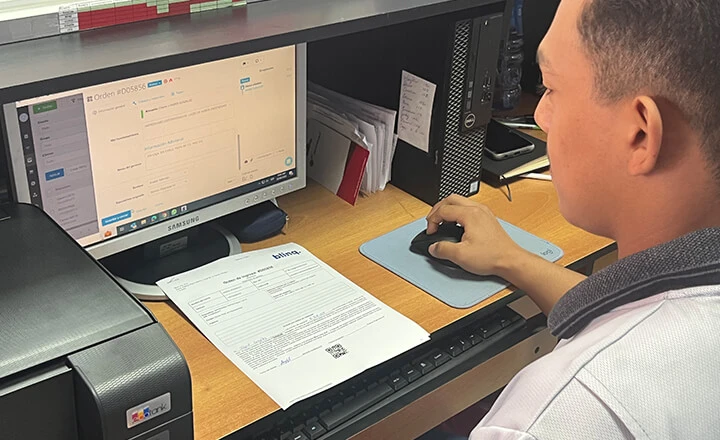


Rock On: How Orderry Helps Guitar Repair Shop Stay i...
20 November 2025

Orderry App is a full-featured mobile work order app that keeps technicians productive anywhere. Manage jobs in real time, streamline routine work with AI, and run your business 24/7.

100% mobile work order processing
All customer communication in one app
Secure online payments
Real-time mobile stock control


Download the app and get all the benefits 


Orderry is your easy work order software that lets you manage work orders in the field, update progress, and schedule client appointments from your phone or tablet.

Upload before/after photos in the mobile app for work orders.
Visualize team workload with the synchronized calendar.
Identify devices or vehicles by scanning IMEI or VIN codes.
Full online work order history and event feed at your fingertips.
See Why Service Pros Choose Orderry App
“With Orderry App, my team tracks jobs and uploads photos on the spot, giving me full visibility and helping us justify work and manage customer expectations.”
Orderry App connects your messengers and social media accounts so that you can manage customer conversations from one multichannel crm. View chat history, link messages to work orders, and never miss an opportunity to respond or sell while on the go.
Enable 2-way WhatsApp and SMS by Twilio
Initiate conversations and reply with rich media


Orderry’s work order tracking app turns your smartphone into a mobile point of sale. Sell services and take payments without leaving the job site.
Choose products or scan them with your phone.
Send online payments or display QR codes instantly.
Accept payments via the app for service technicians.


The built-in AI tools analyze incoming messages and offer smart reply suggestions to help you respond faster and improve customer satisfaction.

Just snap a photo, and AI will identify the product and generate a ready-to-use name and description for your catalog.

Polish your item descriptions with AI help. Instantly rewrite, shorten, or correct texts to make them clearer and more professional.

Get clean, catalog-ready images without reshoots. AI removes backgrounds automatically for a polished, consistent look.
Boost efficiency & grow your business with Orderry
Activate your free trial and start seeing real results in just 7 days. No credit card required.
Trusted by Small Businesses Worldwide
“Orderry has transformed how we run our business. From assigning tasks and creating work orders to tracking payroll, managing sales reports, and keeping our inventory and client database up to date, it gives us everything we need to stay organized and efficient.”
Orderry App supports mobile access to customer history and work orders right from your phone. It’s a full-featured mobile customer database that helps you deliver faster service without digging through records.
View addresses for field jobs or deliveries in seconds.
Instantly access phone numbers, emails, and contact info.
See discount levels and pricing rules per customer.


Whether on the shop floor or on-site, Orderry’s app for services and repairs keeps your team aligned. One tap updates everyone with the latest info.
Distribute and track tasks with the mobile task manager
Control stock levels from anywhere
Get real-time push notifications for updates
Feedback from Businesses That Run on Orderry
“I recommend Orderry to businesses in the building industry because it allows management of both inventory and work orders in a single app, which is rare.”
Orderry App is the only work order application you need to boost your team’s efficiency on-site, on the road, or in the shop. Manage work orders, sales, payments, and customers right from your smartphone or tablet.
How does Orderry App stand out among the best work order apps?
Full work order management. Track every detail of a job from start to finish. Update statuses, add photos and comments, create work orders, add products, accept payments, and close deals all on your mobile device.
All communication in one place. Stay connected with customers through WhatsApp, Instagram, Facebook, VoIP, SMS, and Gmail integrated into one inbox. Never miss a message or lose track of a conversation.
Accept payments instantly. Create estimates, send payment links, or generate QR codes for quick, on-the-spot payments. Orderry App integrates with Square, SumUp, and Stripe.
Extra tools to boost productivity. Get more done with built-in features like a task manager, barcode scanner, and inventory control, plus smart AI tools like chat reply suggestions, photo-based product recognition, and a writing assistant.
Easy navigation & real-time updates. Quickly find what you need with customizable menus and work order filters. The event feed keeps your team updated on every job change as it happens.

Ready to see it in action?
Download Orderry App and start boosting your team’s efficiency today.

Frequently Asked Questions about the Work Order Management Application

Orderry App is a work order app for technicians and field service teams. It lets you create, update, and close work orders directly from your phone or tablet, with full access to customer info, job history, and communication tools.
It is free for all Orderry users, whether you use a basic plan or a full-package subscription. You can download the application from the App Store or Google Play and sign in with the login credentials you used to create your account in the Orderry system.
With Orderry App, you can create work orders, assign them to employees, add photos and comments, and update statuses in real time. You can also track materials, complete jobs, and accept payments without returning to the office.
Yes. Technicians can mark jobs as completed, collect digital signatures, and accept on-site payments using their mobile device.
Look for features like real-time syncing, customer and job history, inventory integration, payment processing, and messaging tools. Orderry App combines all of these in one mobile-friendly solution.
Absolutely. Orderry App lets you add products or services, estimate clients, generate QR codes, and accept payments via integrations with Stripe, SumUp, and Square right from your smartphone.
Yes. Whether you're a tradie in the field or a technician on the shop floor, Orderry App provides fast access to work orders, parts, customers, and task assignments.