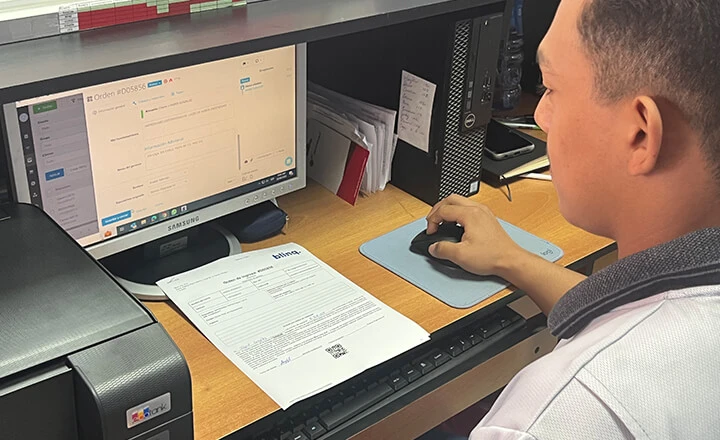
Response Time Reduced By 60 Times After A Year With Orderry
4 January 2024

Orderry helps service businesses invoice faster and get paid sooner by automating the entire billing flow. From jobs to online payments, everything happens in one system.

Invoices generated automatically from jobs
Online payments via secure payment links
Instant QuickBooks and Xero sync


How Orderry Improves Invoicing in Practice
“Orderry helped us a lot to get the invoice paid.”
Whether you're on-site, in transit, or between jobs, the online invoicing app lets you create, send, and track invoices in real time right from your smartphone.

Use the work orders app to generate invoices on-site and send them before you leave the job.
Accept online invoice payments on the spot.
Keep all invoice records in sync across mobile and desktop.

Try Orderry Free
Start getting paid faster with Orderry. Get full access for 7 days. No credit card required.

Orderry’s work order software with invoicing automatically turns your work orders into ready-to-send invoices, saving you time and reducing mistakes.
Auto-fill invoices with job and client details.
Keep your workflow organized and consistent.
Simplify every step, from job creation to payment.
Online Invoicing System That Delivers Real Results
“Orderry helped us reduce the turnaround time by more than 60 times.”
With Orderry, getting paid is fast, simple, and secure. Clients can pay directly via your invoice using trusted providers such as SumUp, Square, and Stripe.
Use integrated payments with every invoice for a faster checkout experience.
Send invoices and request payment in a single step.
Let clients pay instantly by card, mobile, or local gateways.


Orderry’s CRM and invoicing software brings your billing and client info together so you always know who you invoiced, when, and what for.
Store and organize all client details, job history, and invoice records.
Instantly view outstanding balances, past payments, and communication logs.
Distinguish between clients and third-party payers like insurers or companies.
Trusted by Service Businesses Worldwide
“Orderry has helped our company save thousands of euros on claims.”
If your business operates under different legal names or in multiple regions, Orderry makes it easy to keep everything organized.
Add legal details like TIN numbers, bank info, and addresses for each entity.
Assign entities to locations and let Orderry fill in the correct info for you.
Customize invoices and numbering for each entity with Orderry’s document template software to keep documents clean and organized.


Create quotes, manage leads, and convert deals into jobs or invoices with the sales management software.

Accept in-person payments with connected terminals and instant payment recording.

Automatically sync invoices, payments, and clients between Orderry and your accounting system.

Orderry makes invoicing simple for service and repair businesses. You can send professional invoices in seconds, get paid online or on-site, and automate accounting sync without extra effort.
Tailored onboarding to match your business needs and workflow.
Help Center with step-by-step guides and best practices.
Regular product updates based on real user feedback and industry changes.
Try Orderry free for 7 days
Turn invoices into payments faster. Full access to Orderry. No credit card required.
Frequently Asked Questions about Online Invoicing Software

Yes. You can fully customize your invoices with your logo, colors, tax rates, legal entity details, and more. You can even create separate templates for different business entities.
Absolutely. RO Mobile App gives you full access to invoicing, scheduling, jobs, payments, and client management from your phone or tablet.
Absolutely. Orderry’s automated invoicing software includes built-in tools for client management, job tracking, customer communication, scheduling, and work orders, so you can handle your entire workflow in one place.
Invoicing software like Orderry reduces manual work by automating invoice creation, linking job details and client info, and syncing payments with your accounting tools. This means fewer errors, faster payments, and more time for real work.
Yes! Orderry is designed for solo professionals, small teams, and growing service businesses. It’s easy to use, quick to set up, and scales with your business.