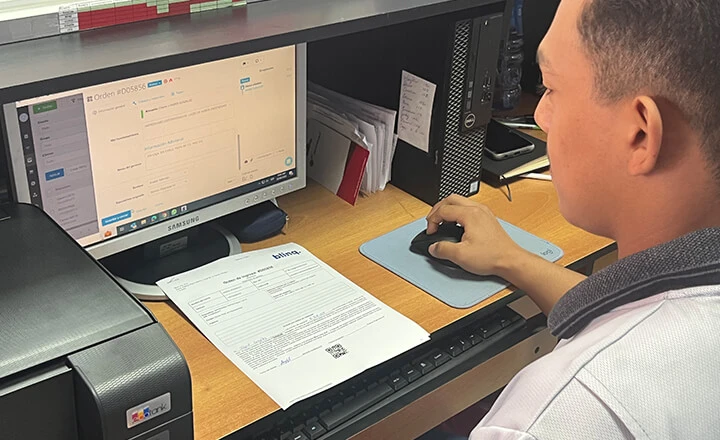



Truck Repair Shop’s Transformation: From Paper Chaos to Digital Precision in Universal de Mulas
30 July 2025

In Orderry, every booking appears in the schedule right away with the date, time, and assigned employee or resource. Scheduling software for landscaping business teams helps you see the week's workload and understand where you can fit another service call. If the weather or other circumstances change your plans, you can reschedule the booking to another time and assign a different employee if needed. Landscaping business scheduling software also works for regular maintenance. You can schedule recurring visits in advance, for example, for lawn or property maintenance, and agree on the schedule with the customer. Those visits will then appear in the schedule automatically.

Build the week's schedule and assign each booking
Sync the schedule to your team's phones instantly
Reschedule any unfinished booking to a new time or employee


Before Orderry, our work order management was a complete mess. When a client called asking about their vehicle’s service history, it was a nightmare. We’d dig through papers for hours, sometimes coming up empty-handed. It was frustrating for them and for us.

Orderry shows all scheduled field work in one calendar. In landscape crew scheduling software, you can see the workload of your employees and resources and decide who should handle the next job. This is especially useful when several crews are working at different properties on the same day.

Drag and drop bookings to another time or assignee
View field work by day, week, or month
Compare employee and resource workloads in the weekly schedule
View unassigned bookings separately in the calendar
Receive mobile notifications about changes to the time, status, or assignment
A new digital work order does not have to be assigned to a specific employee right away. In software for scheduling landscape crews and jobs, you can leave a booking unassigned and choose the assignee later. Crew scheduling software for landscaping teams shows these bookings separately, so your office can see which jobs still need to be assigned.
Try Orderry Free
Set up upcoming property visits and see how Orderry helps you manage several crews from one schedule. No credit card required.
Orderry lets your employees work from their phones throughout the day. The mobile app for landscape scheduling works on iOS and Android, so your team can use it on the way to a customer or right at the property. There is no need to wait until they return to the office to check or update a job.
Open assigned bookings from a phone
Check customer and property details before a visit
Open the customer’s address on a map from the work order app
Update the work order status on-site
Add photos and comments
View job start/stop timestamps (coming soon)
Record completed services and materials used
Your employees can also receive push notifications about work order updates while they are in the field. The landscape crew scheduling app uses the same data as the web version.

What convinced me to choose Orderry was that it didn’t feel like generic software. It was clearly built for companies like mine, with features designed for work orders, field technicians, inventory control, and reporting. I felt like I wasn’t just buying another system, but adopting a tool built specifically for the way we work.

In Orderry, you can schedule regular maintenance in advance. These work orders will appear in the same landscape maintenance scheduling software, so you can see which time slots are still open for new requests. This makes it easier to plan the week because you already know which hours are booked.
Schedule regular and recurring maintenance jobs
Link each visit to the customer profile
Send automatic reminders before scheduled work
Check previous jobs before the next service
Reschedule several bookings by dragging them in the calendar
Add new services or job bundles when the season changes
Track recurring work in job scheduling software
Landscaping service scheduling software also helps when your workload or the type of work you do changes throughout the year. You can start adding different services or job bundles when a new season begins, while the work already scheduled stays in the calendar. In employee scheduling software, you can plan your team’s schedule weeks or months ahead and set recurring shifts. This way, scheduling software for landscaping shows in advance who is scheduled to work during your busiest periods.
See Orderry in Action
See how Orderry helps you set up repeat work and prepare your team’s schedule weeks ahead.
Book a Demo
Some projects can take days or even weeks. At the same time, regular service visits still need to happen and stay on the schedule. In Orderry, you can set the start and end times for a longer job. In scheduling software for construction landscape projects, you can see how much time is already booked and where you can still fit in new work.
Assign multiple employees to one work order
Add the equipment or other resources needed for the job
Change the job duration directly in the calendar
View employee and resource workloads for the week
Update the work order status as the job progresses
In landscape business management software, your employees can update the status as they move to the next stage. You see those changes in Orderry and can tell how the job is progressing without having to make extra calls to the crew. When a job also involves materials, inventory management stays in the same system, so you can track what is used for the work.

You don't need to be an expert in programming because the tool is very intuitive. You say this field refers to another field, allowing you to configure it according to your needs. You won't have to pay a programmer to program your notifications in the programming language. You just move the pieces like little links that take you inside.

Once a job is complete, Orderry already has everything needed for the invoice: customer details, services, and materials used. In landscape scheduling and accounting software, your office can create the invoice right away using this information. There is no need to enter anything again.
Create an invoice from a completed work order
Send invoices to customers by email
Set a payment due date
Add an online payment link through Square or Stripe
Check the invoice status in Orderry
Export invoices as PDFs
If a customer needs to be billed for multiple jobs at once, online invoicing software lets you combine multiple work orders into a single invoice. Orderry also syncs with QuickBooks Online in both directions. This means invoices, changes to them, and related payments can move between the two systems. You can also set invoices to be sent to QuickBooks automatically when they reach a specific status.
As your business grows, your schedule becomes more complex. Landscape scheduling software helps you keep all planned work in one place and immediately see where there is still open time in the week.
Works for one crew or several
If you work on your own or manage one or two crews, you can schedule regular work in advance. You do not have to add it manually every week. As your team grows, landscaping scheduling software lets you view the schedules of several employees or resources together. Recurring jobs stay on the calendar, while completed work stays in the customer history.
Helps you prepare for the next visit
Before a return visit, your employees can open the customer database and review previous work orders. The customer profile also stores sales and payments. This lets your team quickly check what happened before starting the next job.
Helps you review the work after it is complete
After the work is finished, business reporting software lets you review work order activity and team performance. This helps you evaluate how your business is doing beyond the schedule alone.

Try Orderry Free for 7 Days
Add real jobs, assign your team, and see how much easier it is to plan ahead. Try it free for 7 days.
Frequently Asked Questions About Landscape Scheduling Software

Yes. In Orderry, you can set up recurring jobs for regular maintenance and view them in the overall schedule right away. If plans change, you can reschedule a booking to another day or time, or assign it to a different employee. The customer can also automatically receive a text message or email when the time changes.
Yes. Orderry has a two-way integration with QuickBooks Online for invoices and related payments. Customer or payer details, invoice dates, services, products, quantities, prices, and discounts can be synced between systems. Other systems can be connected through Zapier or the Orderry API.
Yes. In the Orderry app for iOS and Android, your crew leads can see work scheduled for the day or week and open assigned work orders. They can check customer details, services, and materials; update the status; add photos or comments; and open the address on a map. They can also receive push notifications when a booking time or status changes.
Bookings can be moved directly in the Orderry calendar. You can change the day or time, or assign a different employee. Your employees can receive push notifications when the time changes, and the customer can also automatically receive a text message or email when the time changes.
Orderry also works for small teams. The Hobby plan is designed for two employees at one location and limits work orders or sales to 100 per month. It includes basic scheduling, employee assignment, customer management, inventory, estimates, invoices, and financial reporting. If your team grows, you can move to another plan and add more employees or locations.