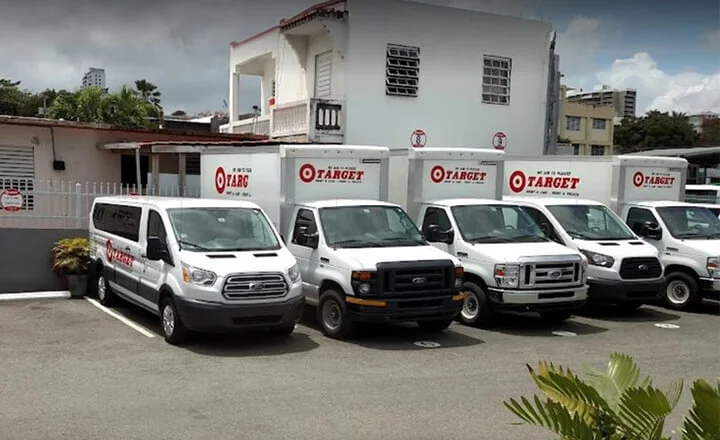




Truck Repair Shop’s Transformation: From Paper Chaos to Digital Precision in Universal de Mulas
30 July 2025

Orderry is locksmith service software that handles the entire job in one place. A new call becomes a work order, and your employee can open it on a phone or tablet to check the address, customer details, and notes. The setup does not require an IT team. Employees can start using Orderry for real jobs during the first week, so it quickly becomes part of the daily workflow. Once the work is complete and the services and parts have been added to the work order, your employee can create and send the invoice.

Schedule each visit by employee, date, and time
Keep photos and customer history with the right work order
Check open jobs, completed work, and unpaid invoices


What truly convinced me to try Orderry was its ability to adapt to us and not the other way around. We could build our own forms, define how we wanted to see information, customize reports, adapt fields and processes, and automate customer notifications.

Your employee can turn an incoming request into a work order once they understand what the customer needs. Locksmith software with mobile dispatch lets your employee select the technician who will handle the job and assign the work order directly. The technician gets a push notification and opens the job in the work order app. They can check the customer details and job notes before leaving. If the visit time changes later, the technician receives the update in the app.

The mobile app works on iOS and Android
Employees can open the customer’s address on a map from the work order
Photos and comments stay in the job’s event feed
Work orders can be filtered by the assigned technician
A separate work order type keeps urgent calls apart from routine jobs
The customer notification system sends SMS or email updates in each client’s language
Send Your Next Job Through Orderry
Create a real work order, assign it to a technician, and see how the details reach their phone. Explore all features free for 7 days. No credit card required.
A locksmith job can change once your employee arrives at the site. With locksmith job management software, the digital work order shows the original request alongside the completed work. Your employee adds the labor and parts used before closing the job. The event feed records edits and shows who made them. Once an estimate is approved, Orderry’s locksmith business management software lets you convert it into a work order without reentering the job details.
Custom work order types and statuses match the steps your team uses
Lock photos and job files stay attached with unlimited storage on every plan
Technicians record lock and key test results in checklists on their phones
Customer signatures are saved with the completed work
Search tools find an order by customer name or phone number
Customer database software keeps past work tied to the right profile

Before Orderry, we ran everything pretty manually — notebooks, loose notes, you name it. We were losing customer information, lacked visibility into repairs, and couldn’t track jobs. Now everything is in one system, and we finally have full control.

Once the work is finished, your employee can create the bill from the work order. Locksmith software imports the customer details from the database into the invoice and adds the services and products used on the job. Your employee checks the total, then sends the digital invoice by email. The customer can open one of the payment links and pay online. With locksmith management software, the invoice stays linked to the job, so you and your employees can find the complete billing record later.
Several work orders can be combined on one invoice
Issue dates and payment due dates can be set for each bill
Invoice numbering and document templates follow the settings you choose
Invoice statuses show where each payment stands
QuickBooks Online and Xero sync invoices and payments
Connected payment services accept card payments on-site
See How Billing Works in Orderry
Watch a completed job become a ready-to-send invoice. Then see how your team can collect payment and check its status in the same workflow.
Book a Demo
Every key blank and cylinder should have a clear record. With locksmith software, your employees add a part to the work order when they use it. Orderry deducts that quantity from the warehouse selected for the job. The item stays linked to the work order, so you can see where it went. With inventory management, your team can check the current stock level before adding the same part to another job. When you have several stock locations, warehouse management software keeps a separate balance for each one, so employees know where the item is stored.
Barcode search pulls up a product by its code
Minimum stock levels show which items need to be reordered
Bin locations identify the exact storage spot for each product
Purchase orders can be created from a work order for parts that are not in stock
Stock reports show product movement and remaining stock balances

When we implemented Orderry, it took our technicians three days to get comfortable with the new software. And that's it. The training was over. They got it really quickly, and everything was running smoothly in the first week.

When a customer calls again, your employee can open the same profile and see what your company did before. CRM software for locksmith service history keeps each job connected to the customer and the property you serviced. The profile also shows past payments, which helps your employee answer billing questions right away. In Messenger CRM, earlier chats remain linked to the same client record. The next employee can read the conversation and continue from there.
Customer management software separates individual clients from business accounts
Custom fields store keyway and site access details
Individual discounts stay saved in each customer profile
Employee roles control who can view or change client records
An assigned manager shows who handles each customer relationship
Contact management software finds a profile by name or phone number
Your software should mirror how the business actually runs. It also needs enough room for the changes that come later. Orderry’s automotive locksmith software is easy to start using, and you can adjust the setup as your workload and team grow.
Works for different locksmith setups
A solo mobile locksmith can use locksmith business software on a phone or tablet to run jobs from the van. A shop can keep counter sales and active work in the same account. Inventory records also stay in the same account. A multi-tech team can use locksmith company software to keep dispatch information current while field and office employees see the same updates.
Shows what is happening in the business
The business dashboard shows revenue and payments for the period you choose. You can also check cashbox balances and see how much work is still open. With business reporting software, you can review employee results. These numbers give you a solid basis for planning for the next week or month.
Protects sensitive customer information
Locksmith jobs often include addresses, access details, and information about locks or security systems. Employee roles let you control which records each person can open or change, so private job details stay with the people who need them.


Assign each visit by employee, date, and time. With locksmith scheduling software, your team can see what comes next.

Customers can choose a service and an available time through your online booking page. New appointments appear in the same schedule your employees already use.

Employees can clock in and out from their phones. You can check their recorded hours when reviewing attendance and payroll.

Create an estimate with the planned services and parts, then send it to the customer for approval. Once the customer approves the estimate, you can use the same details in the work order.

Sell locks, keys, parts, and services directly at the counter. Each sale updates the related stock records in Orderry.

Send a feedback request after the job reaches the status you choose. Customers can leave a rating or comment, and your team can review the response in Orderry.
More than 80,500 businesses in 62 countries use Orderry. Many of them work much like a locksmith company. They take service calls, send employees to customer locations, and keep a clear record of every job. Orderry supports this kind of daily work across many hands-on service trades.
Frequently Asked Questions About Locksmith Software

Yes. You can move customer records, products, stock balances, and existing work orders into Orderry. Customer and product data are imported from Excel files, while Orderry Support helps you upload your work orders.
Yes. Orderry has iOS and Android apps, so your technicians can use the software at the customer’s location. A technician can open the job, check its details, and update the status. They can also add services or materials, attach photos, and record payments from the phone.
Yes. You can create and assign an emergency work order whenever the call comes in. The assigned technician can receive a push notification on their phone. You can also set SMS or email updates for the customer when the work order is created, its status changes, or the visit time is updated.
It works for both. You can start with Orderry as your locksmith management software when you work alone, then add employees and locations as the business grows. Employee roles control what each person can access, and all your locations remain in the same account. You do not have to move to another system when your team gets bigger.
Yes. Orderry has two-way integrations with QuickBooks Online and Xero. Invoices and payments can sync between the systems based on the settings you choose. Other accounting tools may require a custom connection through Zapier or Orderry’s public API, depending on what each platform supports.