



Truck Repair Shop’s Transformation: From Paper Chaos to Digital Precision in Universal de Mulas
30 July 2025

When the schedule is kept on paper, customer data is stored in Google Sheets, and details from previous jobs are saved in your employees’ personal notes, making it much harder to prepare for upcoming jobs. Orderry lawn care business software brings all of this together in one system. There, you can see scheduled jobs on the calendar, check your employees’ workloads, and decide whether there is room for a new job. For a lawn care business owner, it is software for lawn care business management that lets you plan your crew’s work and pull up a customer’s service history right away.

Create estimates and turn approved estimates into jobs
Send customers automatic SMS or email notifications
Create invoices as soon as the work is complete


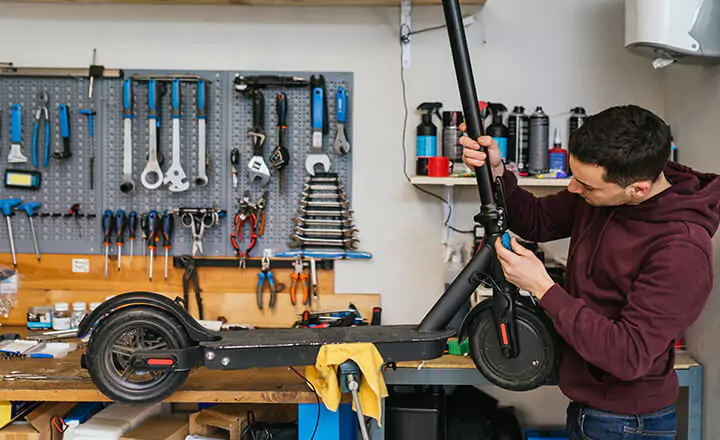
One feature of Orderry stands out above the rest for me. It’s the full history of every scooter and customer. Knowing who worked on each unit, what they did, and when they did it allows me to provide better service, anticipate maintenance needs, and build long-term trust.

During the busy season, your calendar is already packed with regular mowing. Then a customer calls and asks for a yard cleanup tomorrow or wants you to find time for one more job that week. You should not have to guess where to fit it in. In lawn care software for small business, you can see who on your team is available and whether they have enough time for another job.
Scheduling regular customers is even easier. If a lawn needs service every week or every other week, there is no point in creating a new booking each time. In lawn care scheduling software, you set the right interval once, and the next jobs automatically appear on the calendar.

View scheduled jobs by day, week, or month
Set the expected duration of each lawn care visit
Drag each booking to another time or employee
Check team shifts and days off in employee scheduling software
Check the calendar for conflicts before confirming a time with the customer
Share an online booking link for lawn assessments
Let employees track work hours using clock-in/clock-out
Remind your team automatically and send customers visit reminders in their preferred language
Try Orderry Free
Check crew availability before accepting new work and fill open time without overbooking. Full access for 7 days. No credit card required.
When your crews work at different properties, you cannot call everyone all day for updates. In Orderry, lawn care tracking software shows what is happening with each job.
Open the digital work order to see who is assigned, the current status, photos, notes, and job history. If a customer asks what was done, you can check the job record instead of calling the crew lead.
Track each job from assignment to completion
Change the job status from the field
Upload before-and-after lawn photos with unlimited file storage on every plan
Leave notes while the crew is still on-site
See who is assigned to the job
Check who made an update and when

Before Orderry, our work order management was a complete mess. When a client called asking about their vehicle’s service history, it was a nightmare. We’d dig through papers for hours, sometimes coming up empty-handed. It was frustrating for them and for us.

If you give a customer a price that is too low on the spot, correcting it later can be awkward, especially if you have already agreed to mow the property at that price for the entire season. In a lawn care calculator app, you can price the entire job first and check the final amount. That gives you time to adjust the price before the customer approves it and it becomes the rate for all future visits.
The customer does not need to come to your office or print anything. With job estimating, customers can open the estimate online, review what they are paying for, and sign it. Once approved, a lawn care estimate app transfers the same services and prices into the work order. From there, you can schedule the work and create an invoice after the job is complete. The same approved price stays with the job from start to finish, so no one has to enter it again.
Save service bundles for common lawn care jobs
Set a per-visit price for recurring service
Prepare an estimate on your phone while still at the customer’s property
Send the estimate by email or a secure link
Add taxes and discounts before showing the customer the final amount
Attach photos when you need to show what work is included in the price
See Orderry in Action
Watch a signed estimate become a work order with the same services and prices already included.
Book a Demo
Once the work is complete, there is no reason to put off invoicing. As soon as your employee marks a visit complete, you can create an invoice from the same work order in lawn service software. The prices for the services and materials used are already in the work order, so your office does not have to wait for the technicians to report what was done. The customer can receive the invoice on the same day your crew worked on their property.
Lawn care invoicing software lets you send the invoice to the customer right away, so they can open it on their phone. If you enable integrated payments, the customer can also pay the invoice there. You can see which completed jobs have already been paid and which are still awaiting payment.
Combine several weekly visits into one monthly invoice
Bill a property manager or another payer
Set the invoice date and payment due date
Record a partial payment and immediately see the remaining balance
Show only the necessary job details on the customer’s copy
Sync invoice and payment updates with QuickBooks Online
Add your company logo and payment terms to the document template

In the end, the simplicity of Orderry’s interface actually paid off because it sped up the implementation process. Program adoption was simpler and actually worked. It worked for us.

In spring, the same customer may call after seeing your ad and then message you on Facebook an hour later. If those inquiries stay in separate places, it is easy to miss one. In lawn care marketing software, lead routing shows which leads still need a response and who on your team is responsible for them. Messenger CRM saves the conversation, so your employee can pick up where it left off before the customer contacts another company.
When that customer returns a few months later, you will not have to remember what your team did during the previous visit. In customer management, your employee can open the client’s profile and review the work history for the relevant property. If the customer has several properties, they remain linked to one profile. In lawn care contract software, you can also store the agreement details, so your employee can immediately see the correct address, prior work, and service terms when it is time to renew.
Assign every new lead to the employee responsible for responding
Set a deadline for the next customer follow-up
Update the lead status as it moves from the first inquiry to a booking
Link multiple properties to one customer profile
Review the work previously completed at each property
Use CRM software for lawn care to see which advertising channels actually bring in jobs
Save contract dates in custom fields in the customer profile
Try Orderry Free
Track each lead from its advertising source to a booked lawn service. No credit card required.
Once your crew is on the road, the next customer’s address and all the job details should be close at hand. An app for lawn care business owners gives each employee access to assigned work orders on an iPhone, iPad, or Android device. In the work order app, they immediately see where to go and what needs to be done. The address can be opened on a map directly from the work order, without calling the office.
Information collected at the property is not stored only on the crew lead’s phone. Using a lawn care business app, your employees update the same work order that the office sees. Your office team already knows how the job went, even if the crew has not returned yet.
View upcoming jobs in the mobile calendar
Check the address, customer information, and property details before heading out
Update the status without waiting to return to the office
Complete lawn care quality checklists on your phone before closing each visit
Record how much time the crew spent on the job
Receive push notifications if the job time, status, or other details change


Orderry does not make you build a complex system before you need one. Lawn care company software lets you start with the jobs currently on your calendar and set up only the features you actually use. When you add employees or another location, you simply add them to the same system. The basic setup does not require a separate IT team.
If you work solo, your phone can replace the office
You can prepare an estimate right at the property while the full scope of the job is still in view. After mowing, you do not have to leave the paperwork until the evening. Create the invoice from the same work order and accept payment. You can close out the job before driving to the next customer.
A small crew sees the same plan for the day
Your employees open their assigned jobs on their phones and see changes immediately if the schedule has to be rearranged. You do not have to call each person separately or explain the new order of visits in a group chat. You keep working, and the calendar stays up to date for the entire team.
When you have several crews, all the work remains in view
Lawn service business software shows which work orders are currently in progress, which crew is handling them, and what stage each job has reached. In the business dashboard, you can review completed jobs and payments by location. The customer’s property record stays linked to the completed work and invoice. Everything stays connected.
Try Orderry Free for 7 Days
Add a few real customers and place your current work on the schedule. Try every feature free for 7 days. No credit card required.
Many service companies manage recurring visits and field crews in much the same way. Orderry can support this workflow across the following industries.
Frequently Asked Questions About Lawn Care Software

Yes. You do not need to move your entire business into the system in one day or stop working. Start by importing your active customers from Excel and setting up the jobs already scheduled for this season. You can gradually move older records. If you have a large amount of data or are switching from other lawn care software programs, an Orderry specialist can help with the import and initial setup.
Yes. If a customer needs their lawn mowed weekly or every other week, you only need to set up that job once in lawn maintenance business software. From then on, it will repeat on the schedule at the required interval. If rain forces you to rearrange the day, you can move that specific job or assign it to another employee. Contract dates and renewal information can be stored in the customer record.
Yes. After you connect QuickBooks Online to your lawn care business management software, invoices and payments can be updated in both systems. Payer details, prices, and invoice dates sync along with them. Customer addresses, phone numbers, and work orders are not included in this sync. If you need to connect Orderry to other processes, you can use Zapier or the API.
Yes. On iOS or Android, employees can use software for lawn care to open their work orders, check customer and property details, and tap the address to open it on a map. At the property, they can add photos or update the job status. The office sees those updates in the same work order. You can also open Orderry in a browser on an iPad or Mac.
Yes. Even without a team, lawn care services software lets you manage the main workflow from your phone. Open the work order, prepare an estimate on-site, continue the job in the same record after approval, then create the invoice and record the payment. When you hire your first employees, you can add them to the same account and set their access separately. If you open another location later, you can connect it to that account as well.