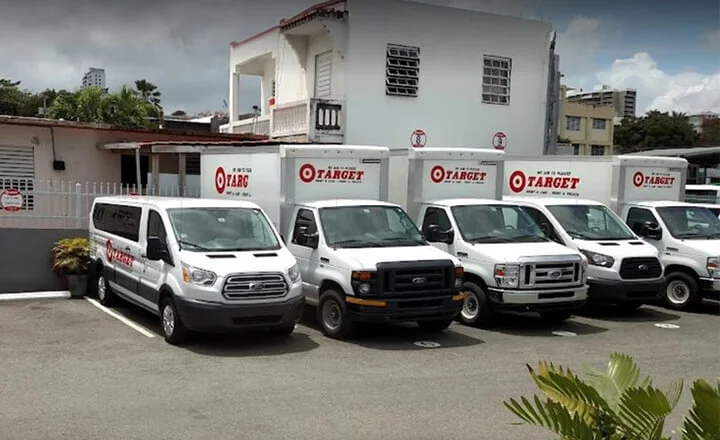





Truck Repair Shop’s Transformation: From Paper Chaos to Digital Precision in Universal de Mulas
30 July 2025

Orderry gives your shop one clear record for every truck repair. Your employees use heavy duty truck shop software to open a work order when a unit comes in. They add notes and update the job status in the heavy-duty repair shop software as work moves through the bay. At that point, your office has everything needed to bill the customer. Once the repair is done, heavy duty repair shop software creates an invoice from the finished repair order.

Track each technician’s time on the repair
Record the parts used on the job so that inventory updates can be made
Check the unit’s service history before your technicians start new work


What truly convinced me to try Orderry was its ability to adapt to us and not the other way around. We could build our own forms, define how we wanted to see information, customize reports, adapt fields and processes, and automate customer notifications.

Orderry displays scheduled work orders on a single screen, grouped by technician or bay. Heavy duty truck shop management software shows the workload before you schedule another unit for the day. You can schedule the repair in an open time slot using the job scheduler. When plans change, your technicians reschedule the repair. Before the work begins, they can send the estimate to the customer for online approval.

Assign one or several technicians to the same work order
Accept online bookings for truck and trailer maintenance visits
Record the time your technicians spend on each repair using clock-in and clock-out software
Compare planned hours with the hours your employees actually worked
Review technician productivity and labor costs in business reporting software
Calculate payroll from verified work hours
Update the status of each work order as it progresses
When the repair is done, your service writers create a digital invoice from the work order in heavy-duty shop management software. The labor and parts already added to the work order appear on the invoice.
Give Your Employees a Clear Plan for Every Repair
Assign work, update repair order statuses, and see what each technician is working on during the day. No credit card required.
Orderry creates one repair order for each truck. Your service master opens the digital work order and links the job to the right unit. Custom fields let your employees record the complaint, cause, and correction in the same record. Heavy truck repair shop software gives your employees one place to follow the work from check-in to completion.
Assign one or several technicians to the repair
Set custom statuses for the steps used in your shop
Record brake, steering, and suspension checks in inspection checklists on your phone
Add inspection photos and comments in the work order app with unlimited storage on every plan
Send automatic SMS or email status updates in each fleet customer’s language
See the current stage of every open RO
Your technicians update the same work order as the repair moves forward. Heavy duty truck repair shop software shows which jobs are still in progress and which are finished. Heavy duty repair tracking software records each change in the event feed. Once the work is complete, your service writers can create an invoice from the work order in the repair shop software.

When we implemented Orderry, it took our technicians three days to get up to speed with the new software. And that's it. The training was over. They got it really quickly, and everything was running smoothly in the first week.

Orderry converts a completed work order into an invoice ready to send. Heavy duty repair invoice software carries over the customer information, job details, and parts already recorded in the RO. Your office can review the digital invoice and send it once the repair is complete.
Apply taxes and discounts before sending the invoice
Choose a separate invoice for each truck or one combined invoice for all of the customer’s vehicles
Send a secure payment link through SumUp, Square, or Stripe
See when the customer pays and how the invoice status changes
Sync invoices and payments with QuickBooks Online through the Orderry integration
Review outstanding invoices
Each invoice stays linked to the fleet customer and the repaired unit, so your employees can open the customer account later and review the full payment history.
Take a Closer Look at Orderry
See how clear work order statuses and faster fleet billing can work in your shop.
Book a Demo
Orderry creates a separate record for every truck or trailer your shop repairs. Your employees enter the VIN or unit number in the truck repair shop software and link the unit to the correct customer. Medium heavy duty truck repair software gives them the same clear process for every vehicle.
Record the VIN or unit number for each vehicle
Group all units from the same fleet under one customer
Scan a VIN with a phone to add available vehicle details
Add the fields your shop needs for each unit
Plan the next maintenance visit by mileage or operating hours
Review previous work orders before starting a new repair
When the unit comes back, your technicians open its existing record. Heavy duty truck and trailer repair shop software shows the work completed during earlier visits. They can also use customer management software to see all vehicles linked to that fleet customer. This gives them the information they need before creating the next RO.

I recommend Orderry for businesses of all sizes, especially those with high order volume and teams of over five people. As an owner, I can easily monitor employees' work progress and address inefficiencies. My employees can provide evidence, such as photos, to justify the time spent on certain tasks. This helps inform customers about any delays or additional charges.

Parts used during each repair are added to the related work order. Heavy duty repair software updates the inventory count when a part is added to a job. You and your employees can always see how many items remain in stock.
Scan a barcode to find the right part faster
Set minimum and maximum stock levels for each warehouse
Create a purchase order from the Products to Reorder list
Assign a default supplier to each product
Record the purchase price when new stock arrives
Track tires, fluids, and other shop supplies in inventory
Assign a price type to each fleet account so the correct markup is used automatically
The inventory management software records every stock movement. Your employees can create a purchase order for the needed parts and send it to the supplier. When the shipment arrives, they add the new stock to the correct warehouse.
Orderry gives each person in your shop the information they need. Heavy duty shop software helps you review the business side of each work order, while your employees use the same system to move repairs forward.
Know your real margins
You can see the profit for each work order after labor and parts are accounted for. The Work Orders Profit report also includes employee pay and taxes.
Give your service writer one place to work
Heavy duty repair software ties every repair order to the right unit and fleet account. Your service writer can open the record and see what they need to move the repair forward.
Put job details in your technicians’ hands
Heavy duty truck shop software lets your technicians open the job on a phone or tablet while they are beside the truck. They can see the unit history and the parts already added to the work order.

Try Orderry free for 7 days
Set up your daily workflow and see how each technician uses the same job information. Try Orderry free for 7 days. No credit card required.
Many vehicle service businesses follow the same steps as your shop. They prepare an estimate before opening the work order. Your technicians then assign the job and record the parts used. When the repair is complete, they invoice the customer. Orderry brings this workflow into a single system, so teams across related trades can use it too.
Frequently Asked Questions About Heavy Duty Shop Software

Your technicians clock in and out for each work order, so their time stays tied to that repair. Orderry uses these records to show technician productivity and labor costs. You can also see how employee pay and parts affect the profit on a completed job.
The setup time depends on how much data you need to move and how you want to set up your shop workflow. You can import your customers, units, parts, and other records from your current system. An onboarding specialist helps your employees set up Orderry for the way your shop works each day. Most teams begin using the system within one week.
Yes. Orderry connects with QuickBooks Online and syncs invoices and payments between the two systems. This saves your service writers from having to enter the same billing information twice. A synced invoice remains linked to the correct customer and work order when it is updated.
Orderry works for small independent shops, including businesses with only one technician. You can begin with one location and add more technicians as your shop grows. The same system can later manage fleet accounts and additional locations.
Orderry can store a separate record for each truck, trailer, or other unit your shop repairs. This includes medium-duty vehicles and Class 8 trucks. Each unit remains linked to the correct fleet customer and has its own repair history.